

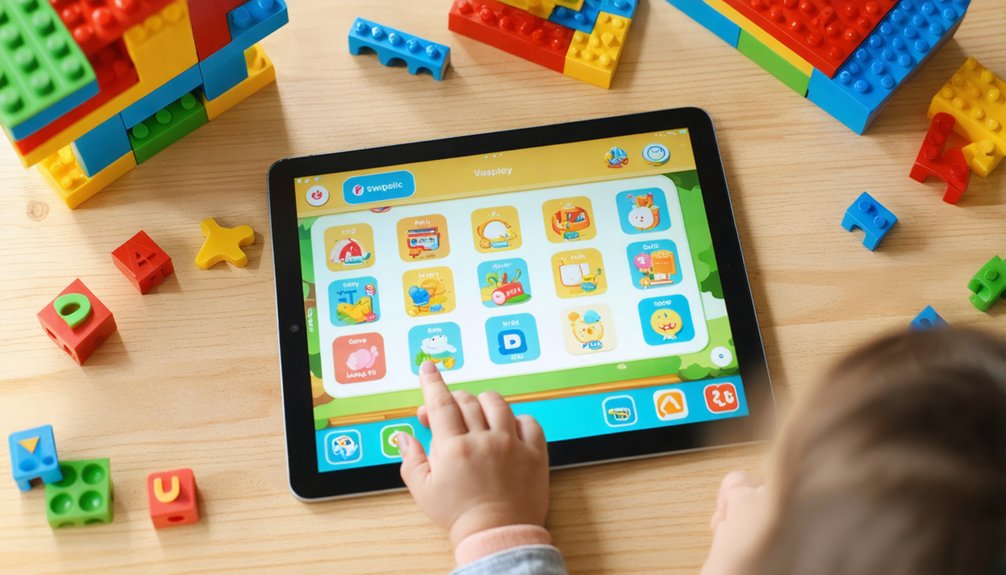

Match apps to your child’s developmental stage, picking interfaces and activities that fit their motor, language, and attention skills. Favor apps tied to clear curriculum standards or milestone tracking, and pick those with adaptive scaffolding. Check safety: COPPA compliance, minimal trackers, and strong parental controls. Balance cost, offline access, and cross‑platform availability. Prioritize simple, multimodal engagement and progress reports, and plan co‑play and sensible limits — keep going to get practical selection and usage tips.
Key Takeaways
- Match the app’s activities and interface to your child’s developmental stage and measurable milestones.
- Prefer apps with clear curriculum alignment, expert-backed content, and adaptive scaffolding for skill growth.
- Choose simple, multimodal interfaces with graduated challenges, parental controls, and progress tracking.
- Prioritize apps with strong privacy/COPPA practices, minimal trackers, and transparent data-use policies.
- Balance cost and access: prefer cross-platform options, offline lessons, and subscription value for family needs.
Match Apps to Your Child’s Developmental Stage
When choosing an app, match its design and content to your child’s exact developmental stage so activities build on what they’re ready to learn. You’ll look for age matched interfaces — high-contrast visuals and simple sound responses for infants, large touch targets for toddlers, and more complex mechanics for preschoolers.
Pick apps that track milestones across precise stages so you and other caregivers see progress and patterns without guessing. Prefer sensory targeted activities when sensory development matters; apps like BabySparks and Kinedu organize motor, speech, and sensory work by stage and adapt as your child masters skills.
Choose tools that personalize daily plans and adjust difficulty, so the community of parents you trust feels confident your child’s learning is supported. Many reputable platforms also provide extensive free activities and tips, such as Vroom resources that work well across early ages. The CDC’s free Milestone Tracker app also helps parents monitor development with illustrated checklists, photos, videos, and milestone summaries. Consider apps backed by expert-designed content to ensure activities are developmentally appropriate and research-informed.
Prioritize Curriculum Alignment and Educational Standards
Because not all apps labeled “educational” actually follow proven learning sequences, prioritize apps that map clearly to curriculum standards and research-based frameworks so you can trust they support real skill growth.
Look for explicit curriculum mapping and visible standards auditing reports; only about 15–24% of apps show systematic progression or documented alignment.
You’ll want apps that connect constrained skills to broader developmental trajectories, use adaptive scaffolding, and include formative assessments tied to benchmarks.
Favor developers who reference learning science, involve child development experts, and apply frameworks like the Four Pillars of Learning so activities feel meaningful and social.
Choosing apps this way helps you join other caregivers committed to real progress, not just entertainment dressed as education.
Free apps are often lower quality in key areas, so consider choosing paid options or vetted selections when possible digital quality divide. Meta-analysis found that effects vary widely and depend on factors like outcome measures, targeted skills, and age groups.
Consider also reviewing privacy practices and permission requests to avoid apps that include unnecessary trackers or data collection data privacy.
Evaluate Safety, Privacy, and COPPA Compliance
Curriculum alignment matters, but safety and privacy are what let learning happen without putting your child at risk, so you should treat those protections as part of your selection criteria.
You’ll want apps that minimize trackers and unnecessary permissions, and that undergo regular privacy audits so data practices stay transparent. Check for COPPA implementation: age gating, clear parental verification, and limited data collection tied to core functionality.
Prefer apps with third-party certifications, in-app safety tutorials, and parental controls offering content filtering, time limits, and activity reports. Talk with other caregivers about experiences — you belong to a community protecting kids online.
Finally, review privacy policies periodically and avoid apps that enable stranger messaging, location sharing, or weak enforcement of child-protection rules. Also consider whether the app addresses common platform risks like privacy concerns when assessing suitability.
Many learning apps are still built on social platforms where children can encounter unmoderated content, so prioritize apps that restrict or remove social features. Additionally, remember that 26% of kids reported using ChatGPT for schoolwork, so evaluate whether any integrated AI tools have appropriate safety and privacy safeguards.
Compare Cost, Accessibility, and Offline Features
If you want a learning app that actually fits your family’s needs and budget, weigh cost models, accessibility, and offline features together rather than separately.
You’ll compare subscription tiers, one-time purchases, and gratis options while keeping hidden costs in mind—maintenance, updates, and server fees can add up.
Pick apps available on both Google Play and the App Store or built with cross-platform frameworks so everyone in your community can join.
Look for clear value: paid apps often score higher on quality, but reputable gratis options exist.
Prioritize robust offline storage for lessons so learning continues without constant connectivity, especially in rural or limited-access households.
Choose what supports your child and your shared routines.
Global EdTech spending is projected to reach $404 billion by 2025 , increasing opportunities for quality educational apps.
Assess Engagement Styles and Learning Modalities
When choosing a learning app, assess how it supports real engagement rather than claiming to match a fixed “learning style.” Research shows that teaching to visual, auditory, or kinesthetic labels doesn’t boost outcomes, but apps that mix visual, auditory, and hands-on activities do deepen processing and keep attention.
Look for multi modalactivities that combine illustrating, speaking, writing, and manipulating so content stays interesting and avoids boredom that breeds burnout. Favor apps that let kids choose paths, pace, and challenge levels—student autonomy links to higher engagement and curiosity.
Use teacher or parent observations and brief questionnaires to see which features hold attention. Pick tools that welcome collaboration and independent critique so your child feels supported, challenged, and part of a learning community.
Check Usability for Young Children and Interface Simplicity
Often the best apps let kids jump in without adult help, because strong usability and a simple interface let young learners navigate, focus, and practice independently.
You’ll want apps that use large touchtargets and single-tap functionality so small hands don’t struggle, and visual icons instead of heavy text so pre-readers can explore confidently.
Look for consistent navigation, intuitive back buttons, and minimal steps between activities so your child feels competent and included.
Prefer clean layouts with a clear visual hierarchy, limited animations, and unobtrusive feedback that reinforces effort.
Avoid cluttered screens, pop-ups, or rapid stimuli that overwhelm working memory.
Choose apps that match preschool motor and cognitive levels, offer scaffolded challenges, and invite exploration to keep your child engaged and belonging.
Monitor Progress and Use Parental Controls
Because kids learn best with both liberty and guidance, you’ll want tools that let you track progress without turning every tap into surveillance.
You’ll look for apps with clear data transparency so you and your child know what’s collected and why. Favor apps that offer detailed progress reports—mastery metrics, activity summaries, and skill growth—so you can celebrate wins together and set next steps.
Use parental controls thoughtfully: choose built-in or reputable apps, avoid sideloaded tools that request excessive permissions, and watch for hidden trackers.
Adopt a graduated autonomy plan that expands access as competence grows, balancing safety with trust.
Talk about findings openly; monitoring should strengthen your relationship, not replace conversations.
Plan Responsible Screen Time and Co-Play Strategies
Start by setting clear, realistic limits on daily screen time and planning regular co-play sessions so tech supports learning rather than replacing it. You’ll follow evidence-based guidelines—avoid screens for under 18 months except video chat, and aim for ≤1 hour daily for 2–5 year olds—while recognizing many families exceed these targets.
Use co viewing benefits: chat about content, explain concepts, and scaffold skills to reduce developmental risks linked to excess use. Build family routines that prioritize sleep, active play, and device-free meals.
Model balanced habits—your behavior matters more than you think. Start plans early, track use, and adapt when home care or education settings raise exposure. Co-play reinforces belonging and makes learning social, guided, and safer.
References
- https://www.mmguardian.com/blog/apps-for-kids
- https://www.bark.us/blog/5-stats-kids-tech-2025/
- https://kidsbeetv.com/blog/parent-tips/best-educational-apps-in-2025-toddler-preschool-learning/
- https://brighterly.com/blog/best-reading-apps-for-kids/
- https://www.singular.net/blog/top-apps-for-kids/
- https://www.statista.com/statistics/1345374/top-apps-among-global-kids/
- https://earlylearningcoalitionsarasota.org/5-early-learning-apps-and-tools-for-parents-of-children-ages-0-5
- https://www.cdc.gov/act-early/milestones-app/index.html
- https://app.kinedu.com
- https://play.google.com/store/apps/details?id=com.kinedu.appkinedu&hl=en_US